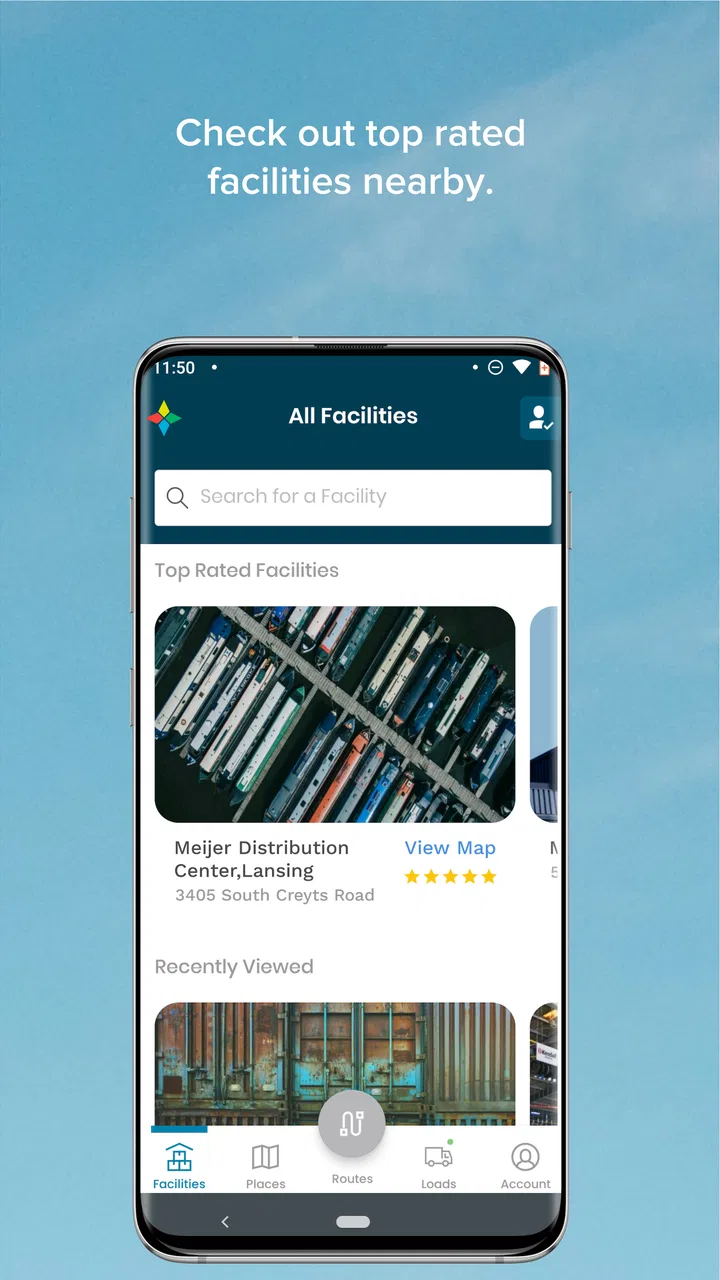
FourKites CarrierLink App
- 4.8
- Rating
- 500.00K
- Installs
- Free
- Price

 Analysis by App-foxy
When I look at a navigation app for professional drivers, I care less about flashy maps and more about whether it reduces interruptions during a long working day. FourKites CarrierLink is built around that practical need: it lets truck drivers enable seamless tracking for their assigned loads. I found its purpose refreshingly focused, especially for drivers who need a straightforward connection between their movement and the people managing freight.
This is a free Maps & Navigation app from FourKites, Inc., and its audience is much narrower than that of a general driving app. It is not trying to replace a full route planner, a road atlas, or a consumer traffic tool. Instead, it sits inside the freight workflow, helping a driver’s assigned load remain trackable while the driver concentrates on the road. That distinction is important before installing it: the app makes the most sense when your carrier or freight operation uses FourKites tracking.
How CarrierLink fits into a driver’s working day
In a realistic scenario, I would use CarrierLink after receiving an assigned load, enable tracking, and then leave it working while completing the trip. The value is not necessarily a screen full of information every minute. The value is reducing the need for repeated check-in calls, manual location updates, or separate messages asking where a shipment is. For a driver moving through a busy day, that can make the tracking side of the job feel less intrusive.
You May Also Like

 Blood Strike: 2.5 Anniversary
Blood Strike’s Loadouts Turn Every Drop Into a Tactical Gamble
A close look at Blood Strike’s custom loadouts: how fast access to signature weapons reshapes its battle royale rhythm, rewards preparation, and narrows the gap between fights.

 Pandora - Music & Podcasts
Pandora’s Music Is Easy to Start, but Harder to Recover
Pandora’s strength is its low-effort path from a seed to a station. Its weak spot is how much confidence it asks you to place in connection, setup, and quiet recovery.

 8 Ball Pool
 Is Built on Rivalries, Rematches, and Routine
A close look at the rivalries, rematches, shared routines, and unanswered safety questions that turn a quick pool match into a persistent mobile community.

 Samsung Music
’s Quiet Strength Is Playing What You Already Own
Its reach comes less from spectacle than from dependable access to a personal library. That simplicity is both the app’s strongest retention engine and its ceiling.

 AccuWeather: Weather Radar
AccuWeather Review: A Quick, Clear Forecast for Everyday Decisions
For everyday plans, the best forecast is the one you can understand quickly. AccuWeather makes rain timing, radar, and local conditions easy to act on, with a few trade-offs.

 Hill Climb Racing
Why Hill Climb Racing Still Turns Crashes Into One More Run
A tiny car, a bumpy hill and one more upgrade: Hill Climb Racing keeps resurfacing because its simple chaos makes every near-miss feel personal.
More From Our News Desk



The app’s store summary describes seamless tracking of assigned loads, and that wording captures its role better than calling it a general navigation companion. I would treat it as a focused freight-tracking tool rather than as the only app in a truck cab. If I needed turn-by-turn directions, fuel planning, road restrictions, or a broad view of nearby services, I would still expect to use a dedicated navigation solution alongside it.
That separation can actually be useful. A driver can keep route guidance and shipment tracking conceptually distinct instead of trying to force one app to handle every part of transportation. CarrierLink is aimed at the operational question of whether the assigned load can be tracked, while a conventional navigation app is usually aimed at helping the driver decide where to go.
The application has been available since August 12, 2015, and the current version is 6.7.26. Those details suggest a product with a long-running place in its category, but I would not interpret longevity as a promise that every workflow will feel identical across carriers. The experience depends heavily on how the driver’s assignment is set up and how the surrounding freight operation expects tracking to work.
Readability and navigation inside the app
For me, the strongest accessibility question is whether the app communicates its main job without making the driver hunt for it. A focused product has an advantage here: there are fewer reasons to open it than in a full navigation suite. When an app is primarily about enabling tracking for an assigned load, the central action should be easier to understand than a crowded dashboard filled with unrelated tools.
That focus may help drivers who prefer a simple, task-based workflow. Someone who is comfortable with smartphones but dislikes complicated menus can approach CarrierLink as a work utility rather than as another system to learn. I would still recommend setting it up while parked, not at a loading dock under time pressure. The first successful use matters because it confirms that the driver can recognize the correct load and understand when tracking is active.
Text size, contrast, labels, and screen-reader behavior are especially important in a cab, but I would avoid assuming that a clean purpose automatically guarantees excellent accessibility. A driver with low vision may need larger system text or display magnification, and a driver with reading difficulties may benefit from taking a few minutes to learn the sequence before departure. The practical test is simple: can the user identify the assigned load and the tracking action without prolonged visual attention?
I also see a useful distinction between readability while parked and readability while moving. Even a well-organized interface is not something I should study while driving. The app is most inclusive when it supports a quick pre-trip check and then stays out of the way. That means a driver should not need to repeatedly inspect the screen to reassure a dispatcher that the load is being tracked.
For dispatchers or fleet staff, the benefit is indirect but meaningful. A driver who understands the app’s purpose is less likely to disable it accidentally or confuse tracking with navigation. Clear onboarding and a predictable sequence would matter more here than a large collection of options. If your operation gives drivers its own instructions, I would follow those rather than improvising a workflow from the app alone.
Motor and sensory considerations for cab use
Truck driving places unusual demands on phone interaction. Gloves, vibration, awkward mounting positions, bright sunlight, darkness, and limited opportunities to stop can all turn a small tap into a frustrating task. CarrierLink’s narrow purpose is helpful because fewer interactions should be needed than with an app that requires constant route adjustments. Still, I would regard any required action as a parked-vehicle task.
A driver with limited fine-motor control may find a short workflow easier than a screen with many controls, but the actual comfort will depend on the device, mounting position, and interface scaling. I would prepare the app before leaving: sign in if needed, identify the assigned load, and enable tracking when safely stopped. This reduces the chance of making a small touch error while handling paperwork, waiting in a yard, or preparing to depart.
For drivers with sensory sensitivities, the best feature may be the app’s limited role. It does not need to become another source of constant visual stimulation if tracking can be enabled and then left alone. I would avoid keeping the phone in a position that encourages frequent checking. The safer habit is to use the app as a setup tool, then rely on the normal driving routine rather than watching its status continuously.
Drivers with hearing loss should not be expected to depend on audio prompts for a tracking task. Drivers with vision limitations may need accessibility settings already available on their phone, such as enlarged text or magnification. Those adjustments can improve usability, but they do not remove the need for a safe, stationary setup. I would also be cautious about assuming that voice control can complete every action; the app’s focused purpose does not prove that voice operation is supported.
One non-obvious trade-off is that simplicity can help one person and frustrate another. A driver who wants only a quick tracking action may appreciate the limited scope. A driver who expects a complete visual explanation of shipment status, route context, and exceptions may find the experience too narrow. In other words, fewer controls can reduce motor effort while also offering less guidance when something goes wrong.
Situational access: coverage, workload, and shared responsibility
Accessibility is not only about disability settings. It is also about whether someone can use the app in the conditions where trucking actually happens. A driver may be rushing between a gate and a loading area, dealing with paperwork, operating in poor weather, or working a schedule that leaves little room for troubleshooting. CarrierLink is most practical when activation is part of a planned dispatch routine rather than an extra task added at the last moment.
I would use a simple habit: check the assigned load while stationary, enable tracking before departure, and avoid reopening the app unless the carrier’s process requires it. That habit turns the app into a background part of the trip instead of a repeated distraction. It also gives the driver a clear point at which to ask for help if the expected load does not appear or the tracking action is unclear.
For drivers who share phones, change devices, or work across different trucks, setup can become more complicated. The app’s usefulness depends on the correct relationship between the driver, the device, and the assigned load. I would not assume that installing it on a second phone automatically reproduces the same working state. A fleet should explain its preferred device and handoff process so that drivers are not left guessing.
This is also where CarrierLink differs from ordinary map apps. A consumer navigation tool can usually be opened by anyone who wants directions. CarrierLink is tied to a freight context, so its usefulness is strongest when the driver already has an assignment that the system recognizes. If you are an independent driver looking only for directions, this is probably the wrong download. If your work depends on tracked loads, its focused role becomes much more relevant.
Another practical consideration is attention management. A tracking app should support the driver without encouraging a dispatcher, customer, or colleague to expect constant manual confirmation. The whole point of seamless tracking is to reduce interruptions. I would see it as a better fit for operations that respect the driver’s need to keep attention on safe vehicle control, rather than operations that use tracking as a reason for frequent check-ins.
Where the experience may still create barriers
The main limitation is that CarrierLink is not a complete answer to every navigation or freight-management need. Someone looking for truck-specific routing, bridge-clearance information, rest-stop planning, traffic alternatives, or offline map access should compare it with a dedicated trucking navigation app. CarrierLink’s tracking purpose does not make it a substitute for those tools.
There is also a workflow barrier for people who need immediate clarity when an assignment changes. If a load is reassigned, delayed, or handled through a process outside the expected routine, the driver may need help from the carrier rather than being able to solve everything inside the app. That is not necessarily a flaw in a focused tracker, but it means the surrounding human support remains important.
I would also avoid promising that every driver will experience the same level of convenience. A professional fleet may have a clear procedure, while a smaller operation may provide less guidance. The app can be technically simple and still feel difficult if nobody explains when tracking should begin, which load should be selected, or what to do after a device change.
Privacy and battery awareness are reasonable considerations for any location-related work tool, even though I would not make assumptions about CarrierLink’s specific settings or policies. My practical advice is to understand your employer’s instructions, keep the phone suitably charged, and avoid changing tracking behavior casually during a trip. If you have concerns about how location information is handled, raise them with the carrier or fleet administrator before relying on the app.
Some users may also find the app too specialized. The Everyone content rating makes it broadly suitable from an age-classification perspective, but that does not mean it is useful for every phone owner. A family looking for weekend directions, a cyclist planning a route, or a traveler comparing attractions would gain much more from a conventional maps product. CarrierLink earns its place through a specific professional context, not general versatility.
Who should use it, and who should choose something else?
I would recommend CarrierLink to a truck driver whose assigned loads are managed through FourKites and who wants a less disruptive way to keep shipment movement visible. It is particularly suitable for drivers who prefer a focused work app, dislike repeated status calls, and can complete setup while parked. Fleet teams may also appreciate having a purpose-built tracking step that can be included in dispatch instructions.
I would be more cautious recommending it to someone who has not been told how it fits into their carrier’s process. Installing a tracking app without an associated assignment or workflow may not deliver much value. The same applies to drivers who want one application to handle every part of a trip. In that case, a truck-focused navigation package may be a better primary tool, with CarrierLink used only for the tracking function when required.
Its free price removes one common barrier to trying it, and the app has a 4.8 average from around 32 thousand ratings, with more than 2 thousand written reviews. It has also passed half a million installs. Those figures indicate substantial interest and a generally positive reception, but they should not replace a practical test with your own carrier’s workflow. A high average cannot tell me whether a particular fleet’s assignment process is clear or whether a specific driver’s accessibility needs are met.
The minimum operating requirement is Android 7.0 or newer. For an older work phone, that requirement is worth checking before planning a rollout. A driver who relies on an aging device may need to confirm compatibility in advance rather than discovering the problem at the start of a load. Keeping the app updated to version 6.7.26 is sensible, but I would still test the complete sign-in and tracking routine while parked after any update.
My inclusive verdict on CarrierLink
After looking at it as both a freight tool and a real-world cab companion, I see FourKites CarrierLink as a focused solution rather than a universal navigation app. Its clearest strength is the way it can make assigned-load tracking part of a driver’s normal workflow without demanding that the driver manage a full logistics dashboard on the move.
Its accessibility story is strongest when the surrounding process is well designed: clear instructions, a safe setup period, a compatible phone, and realistic expectations about what the app does. Drivers with different visual, motor, or sensory needs may find the focused purpose easier to manage, especially when they can enlarge the interface or prepare everything before departure. I would not, however, treat that focus as proof that every accessibility requirement is covered.
The most important practical tip is to make tracking a parked, pre-trip action rather than an in-motion task. That approach supports safer driving, reduces repeated screen interaction, and exposes workflow problems early enough for a dispatcher or carrier contact to help. It also makes the app more inclusive for drivers who need extra time or larger display settings.
My final recommendation is therefore conditional but positive. If your loads are connected to FourKites, CarrierLink is worth considering as the dedicated tracking layer in your driving routine. If you need detailed truck routing or a general-purpose map, pair it with a tool designed for that job instead. Used within its proper boundaries, it can remove friction; used as an all-in-one navigation answer, it will likely leave important needs uncovered.
FAQs for FourKites CarrierLink App
01What is FourKites CarrierLink and how does it work?
FourKites CarrierLink is a logistics and supply chain management app designed to help truck drivers and carriers track and manage their shipments in real-time. It provides GPS tracking, ETA predictions, and visibility into shipment status. Drivers can also use it to receive and update load information, ensuring better communication and efficiency.
02Is FourKites CarrierLink available for both Android and iOS devices?
Yes, FourKites CarrierLink is available for download on both Android and iOS platforms. You can find it on the Google Play Store for Android devices and the Apple App Store for iOS devices, making it accessible for a wide range of users with different devices.
03Does FourKites CarrierLink require a subscription or is it free to use?
FourKites CarrierLink is generally free to download and use for drivers who work with shippers and carriers that are part of the FourKites network. However, the availability of certain features might depend on agreements with these companies, so it's best to verify with your employer or logistics management team.
04What are the main features of FourKites CarrierLink?
The main features of FourKites CarrierLink include real-time tracking of shipments, load management, ETA predictions, document upload capabilities, and communication tools for drivers and dispatchers. These features are designed to streamline operations, improve transparency, and enhance the overall efficiency of supply chain processes.
05How does FourKites CarrierLink ensure data privacy and security?
FourKites CarrierLink employs robust security measures to protect user data, including encryption and secure access protocols. The app complies with industry standards and regulations, ensuring that sensitive information related to shipments and personal data is kept secure and confidential. Users are encouraged to review the app’s privacy policy for more detailed information.
Pros
- Real-time load tracking enhances efficiency.
- User-friendly interface for quick navigation.
- Customizable alerts for important updates.
- Supports multiple languages for global users.
- Integrates seamlessly with existing systems.
Cons
- Requires constant internet connection.
- Limited features in the free version.
- Occasional glitches in older devices.
- High battery consumption during use.
- Data privacy concerns for sensitive info.

FourKites CarrierLink App
Gallery